
Voice typing that actually
runs on Linux.
Native on Wayland and X11. Ubuntu, Fedora, Debian, Arch, Mint. Talk into any app, terminal included, and clean text lands at your cursor.
- Free to download
- 2,000 words a month
- Nothing stored
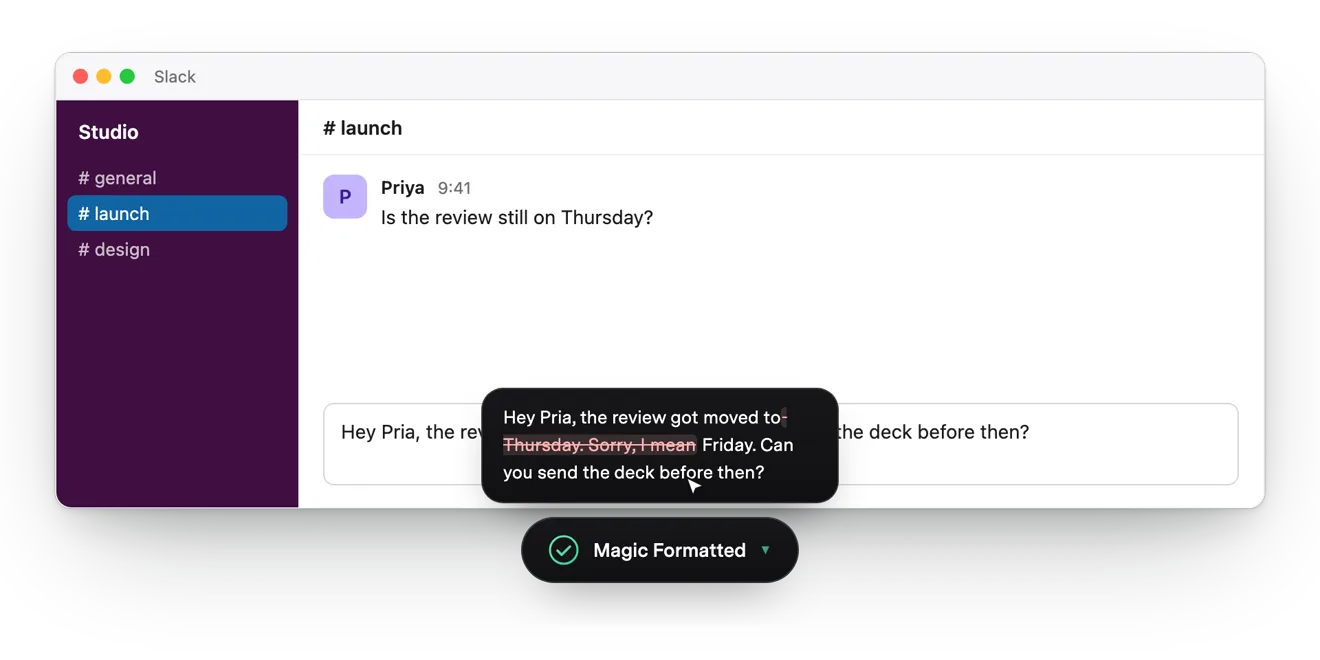
Built for Linux, not ported as an afterthought
Vibe Typer runs on Windows and macOS too, but Linux is where it started. Here's what you get that most dictation tools never ship on Linux at all.
Native Wayland and X11
Most voice typing tools skip Linux or only work under X11. Vibe Typer runs natively on both Wayland and X11, and it migrates your settings across automatically when you switch sessions.
One portable AppImage
Download a single AppImage and run it. No repositories to add and no dependencies to chase. The same build works on Ubuntu, Fedora, Debian, Arch, and Linux Mint.
Clean text in every app
In your terminal, browser, editor and chat apps, Vibe Typer types plain, correctly formatted text exactly where your cursor is. Nothing to configure.
Your audio is never stored
Recordings are processed in memory and discarded. No audio saved, no transcripts kept on our servers, and no training on your voice, ever.
Speak any of
99 languages.
Pick one, or leave it on Automatic and it works out which you're speaking.
Linux users, in their own words.
A lot of people arrive after giving up on tools that never shipped a real Linux app. Here's what they say once they've switched.
“I use Arch with KDE 6 Wayland and VT works perfectly. When I switched from X11 it automatically migrated the settings.
I'm really impressed with VT's polish.”
“It's the fastest of all available right now.”
“Really like the clean look and how easily it works in the background. Used Wispr Flow before and it was always slowing everything down and laggish. No other app had a Linux version!”
“I tried a few voice to text including more expensive ones but yours is best. I am on Windows and Linux so this is icing on the cake.”
“Looks like this has been popping off the last 2 weeks. This works ridiculously well on Linux.”
“I had to find an alternative after I moved to Linux and found Vibe Typer. Instantly signed up as soon as I reached my free limit.”
“Wonderful app, and the best Linux solution I've come across. My immense thanks to you for your work.”
Guides and comparisons for Linux
Setting up voice typing on your distro, or comparing Vibe Typer with another tool? These guides go deeper on Linux.
Linux guide
AI Dictation Apps That Run on Linux, Windows, Mac and iPhone (2026)
Read the guide →Linux guide
Voice Dictation in VS Code and the Linux Terminal (2026)
Read the guide →Linux guide
Does Superwhisper Work on Linux? Honest Answer for 2026
Read the guide →Linux guide
Vibe Typer vs Superwhisper vs Wispr Flow: The 2026 Head-to-Head
Read the guide →Linux guide
Willow Voice Alternative for Linux: Why Willow Voice Doesn't Work for Linux Users and What to Use Instead
Read the guide →Linux guide
Vibe Typer for Business: Seat-Based Licensing and Team Deployment
Read the guide →Linux guide
Superwhisper vs Vibe Typer: Best Dictation Tool for Terminal and Code Editors (2026)
Read the guide →Linux guide
Wispr Flow vs Vibe Typer: Feature-by-Feature Comparison for 2026
Read the guide →Linux guide
Whisper Dictation on Linux: What Actually Works (2026)
Read the guide →Linux guide
nerd-dictation vs Vibe Typer: Which One Should You Run?
Read the guide →Linux guide
Voice Typing on Wayland: Why Most Tools Break
Read the guide →Linux guide
Voice Dictation Over SSH and in Dev Containers
Read the guide →Linux guide
Aqua Voice vs Wispr Flow vs Vibe Typer: Which Voice Typing App Should You Use?
Read the guide →Linux guide
Voice to Text on Linux Mint: What Works on Cinnamon (2026)
Read the guide →Linux guide
Dictation Software for Ubuntu: What Works on Wayland (2026)
Read the guide →Linux guide
Best Voice to Text Software for Linux Desktop (2026): 15 Tools That Actually Run
Read the guide →Linux guide
TypeWhisper Linux Alternative: What Runs on Wayland & X11
Read the guide →Linux guide
Dragon NaturallySpeaking on Linux: Alternatives That Actually Run
Read the guide →Linux guide
Superwhisper Linux Alternative: AppImage for Wayland & X11
Read the guide →Linux guide
Kensington SlimBlade on Linux: Custom Button Mapping & Left-Handed Setup
Read the guide →Linux guide
Does Wispr Flow Work on Linux? No. Here's the Alternative
Read the guide →This page is also available in Deutsch, Polski, Français, Español and Português (Brasil).
Linux questions
Yes. Vibe Typer is a native desktop app for Linux, distributed as a portable AppImage that runs on modern 64-bit distributions including Ubuntu, Fedora, Debian, Arch, and Linux Mint. It is not a browser extension or a web app. It works system-wide, in every application.
Both. Vibe Typer supports Wayland and X11 sessions natively, and it migrates your settings automatically when you switch between them, something most voice typing tools don't handle on Linux.
Download VibeTyper.AppImage from the downloads page, mark it executable (chmod +x), and run it. There are no repositories to add and no dependencies to chase.
Neither of them ships a Linux app, so most of our Linux users came from one of them. You get the same kind of AI-cleaned dictation, native on Wayland and X11. Comparison guides are below.
Yes. Plain text goes straight into terminals and editors, with no smart quotes or autocorrect. Same for browsers, chat and email.
Yes. Vibe Typer is free to download and use, with 2,000 words a month and 20 AI operations. Pro removes all limits for $8/month billed annually, or $10/month month-to-month.