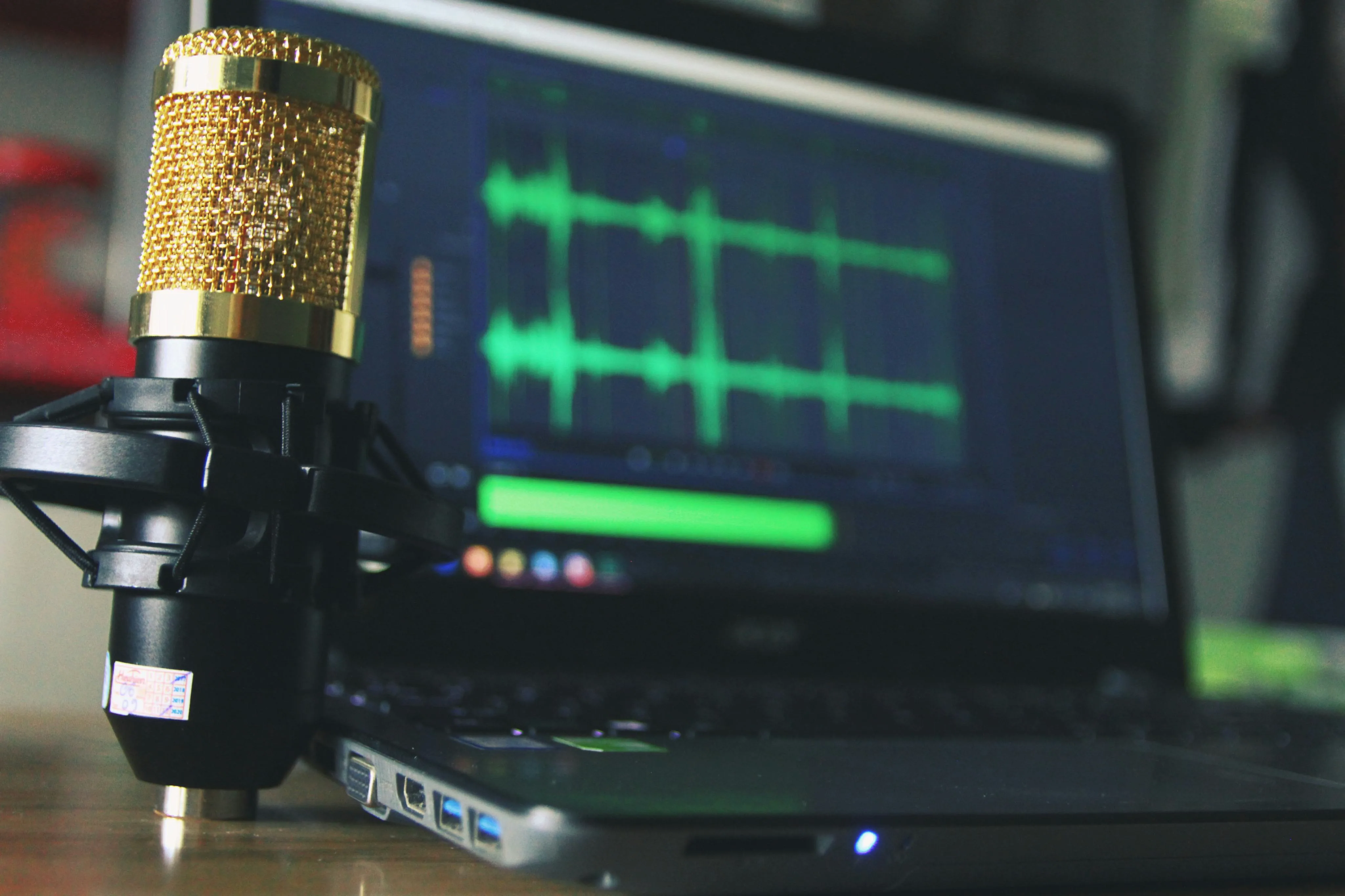
10 Linux Dictation Software Tools Compared


Vibe Typer is the best starting point for cross-platform dictation on Wayland and X11. Offline tools fit better if you need local processing or want more control over the pipeline. Linux users can choose from 17 free speech-recognition tools, and that variety makes the decision harder, not easier.
You might dictate a command into a terminal, draft a long report in an editor, then answer messages in a browser, all during the same workday. A tool that transcribes accurately but can't place text into the active window is still a poor fit. On Linux, the display server, insertion method, microphone path, processing model, language handling, and setup effort all shape whether dictation works beyond a demonstration.
The X11 and Wayland split matters most. A Wayland client can't see or inject input into another client, and it can't claim a global shortcut independently, so tools that worked through X11 automation may fail or behave inconsistently on modern desktops. That's why this comparison treats cursor insertion and compositor support as core capabilities rather than small technical details.
The list below compares 10 Linux dictation tools on those decisions. It covers cross-platform apps, local Whisper and Vosk options, scriptable utilities, voice-control systems, and browser-only dictation. After the list there's a selection guide and a setup checklist for testing your pick in the app you use most.
Table of contents
- 1. Vibe Typer
- 2. Vocalinux
- 3. Nerd-Dictation
- 4. JuhSpeak
- 5. Voquill
- 6. whisrs
- 7. Whispering Tiger
- 8. Talon Voice
- 9. LotusQ
- 10. Voice In
- Top 10 Linux dictation tools, feature comparison
- Choose your Linux dictation setup
1. Vibe Typer
Vibe Typer is the best starting point if you want dictation to work across Linux desktops and other platforms without configuring each app separately. The Linux app supports native Wayland and X11, the same account works on Windows and macOS, and there's an iPhone app too. It inserts text into the active application, including editors, terminals, and chat windows, so nothing depends on plugins or browser-specific fields.
What matters is what happens after speech recognition. Magic Formatter removes filler, handles hesitations and mid-sentence corrections, applies punctuation, and follows your style instructions. A diff shows the changes so you don't have to accept a rewrite blind. That makes it more useful for reports, messages, and technical writing than a raw transcript you still have to clean up.
Practical rule: Test insertion in your terminal, editor, and primary browser before judging a Linux dictation app. The same transcription can feel reliable in one workflow and frustrating in another.
Recording uses a customizable hotkey in hold-to-talk or toggle mode. Automatic system mute keeps other system sounds out of the recording. Per-app insertion rules keep terminal output as plain text and let you override that where needed. Custom dictionaries handle names, jargon, and product terms, and language detection is automatic across 99 languages.
The privacy model is clear but isn't an air-gapped deployment. Audio is processed in memory, transcripts aren't stored on servers or used to train models, and preferences sync privately across machines. The Free plan includes 2,000 words per month and 20 AI operations, while Pro costs $8 per month when billed annually, or $10 month to month. Those are the current numbers, so check Vibe Typer's pricing before choosing a tier.

2. Vocalinux
Vocalinux takes the opposite approach to a cloud-oriented productivity app. It's a free, open-source Linux application designed for on-device dictation, with a system-tray interface and direct typing at the cursor. The tool is built around Whisper and can use CPU or GPU processing, which gives users control over where recognition happens and whether audio leaves the machine.
It has a GUI and Linux-native packaging. AppImage, DEB, and RPM builds cover Ubuntu, Fedora, Debian, and Arch, and it supports both Wayland and X11. Push-to-talk, autostart, and a tray indicator mean you don't need a terminal command for every recording.
Vocalinux inserts text on Wayland through IBus, which matters because Wayland doesn't allow the synthetic input that X11 tools assume. Other Linux engines include Whisper, Vosk, Kaldi, SpeechBrain, Coqui STT, and Julius, and one Linux-focused directory lists 17 free tools built on them. This Linux voice-recognition overview explains why the front end and insertion path matter as much as the engine.
Best fit and limitations
Choose Vocalinux if you want a GUI, no account, no telemetry, and local processing without assembling a personal script. The trade-off is hardware and storage overhead. Whisper model downloads can be large, and older or low-VRAM systems may need CPU inference, so an easy install doesn't mean it runs quickly on every machine.

3. Nerd-Dictation
Nerd-Dictation is for Linux users who see configuration as a feature. It's a minimalist Python utility using Vosk, without a full desktop application or background daemon. You control how it starts, stops, receives audio, transforms text, and inserts output, which suits terminal-heavy work and custom automation.
The output path is deliberately explicit. On X11, the tool can use xdotool. On Wayland, it can work with ydotool, dotool, or wtype, but each of those helpers brings its own permission and compositor quirks. xdotool isn't native on Wayland, and nested X11 or alternative helpers behave differently on GNOME and KDE.
Nerd-Dictation supports PulseAudio and PipeWire and allows Python post-processing hooks. You can use those hooks for number formatting, capitalization rules, or project-specific transformations. The flexibility is also the main cost. You need to understand the audio device, hotkey, model, and insertion command yourself; there's no guided setup.
A scriptable tool can be more dependable than a polished app when your workflow is stable and you understand every layer. It can also be more fragile when your desktop session changes.
Vosk output tends toward lowercase, and punctuation or capitalization may require custom rules. That makes it a poor fit for email you'd send as-is, but it works well when you want predictable raw input, stdout output, or a pipeline that turns spoken commands into terminal-friendly text.

4. JuhSpeak
JuhSpeak is a local-first Linux dictation app that shows you what the setup is doing. It offers push-to-talk, local faster-whisper transcription, direct pasting into the focused window, and support for both Wayland and X11. Its installer and "doctor" script check parts of the desktop environment, which is useful when a failure comes from the input path rather than the speech model.
By default it processes audio on your machine. Optional LLM cleanup adds formatting, but whether that step leaves the machine depends on how you configure it. Bring-your-own-key means you pick the provider, and you're the one reading that provider's retention terms.
It does more than transcribe. Snippets, dictionary corrections, punctuation and capitalization rules, and visual indicators make it feel like an app rather than an engine wrapper. DEB and RPM packages mean you don't build it yourself.
Where it makes sense
JuhSpeak is a middle ground: local recognition, plus cleanup and a guided install. It's a younger project with a smaller community than the established command-line tools, and GPU acceleration depends on your hardware. If you want to test local dictation without giving up snippets and formatting rules, that's a fair trade.
5. Voquill
Voquill focuses on private, local voice input and broader transcription tasks. It's a FOSS application under the AGPLv3 license, with no account or subscription requirement, and it types live dictation at the cursor on both Wayland and X11. Wayland insertion goes through XDG Portals, the permission model modern Linux desktops expect.
The live workflow is only part of the product. Voquill can transcribe audio files, apply local refinement, search dictation history, use a custom dictionary, and support speaker diarization for multi-speaker material. You can pick between local Whisper and Parakeet engines, and optional local LLM post-processing removes filler without sending that step to a remote service.
If you only need short text in a chat box, file transcription and diarization are features you won't use. If your work includes meetings or recorded interviews, they earn their place.
Privacy boundary: "Local" describes where processing occurs. You should still check whether the application keeps searchable history, cached audio, model data, or generated transcripts on the machine.
The risks are operational. It's a newer project, so packaging and docs are still changing, and local LLM refiners are heavy on low-end hardware. If you want no account and an AGPLv3 codebase, that's the price.

6. whisrs
whisrs is built for the Linux setups where input gets complicated. Written in Rust, it supports Wayland, X11, Hyprland, Sway, Niri, GNOME, and KDE, with text appearing at the active cursor after a hotkey recording. Window tracking and keyboard-layout handling cover the details that make system-wide dictation flaky elsewhere.
The backend is your choice. You can run local whisper.cpp, or connect to cloud backends including Groq, Deepgram, and OpenAI. That lets you switch between offline and remote without replacing the front end, though the privacy and account implications change with each provider. Same app, different data path.
A basic build is straightforward. GPU acceleration through Vulkan, CUDA, or ROCm needs extra headers and toolkits, so tuning for local acceleration is more work.
The compositor-first choice
whisrs suits people who already know which compositor and backend they need. It documents Wayland virtual-input support on GNOME, KDE Plasma on Wayland, Hyprland, Sway, and Niri, which makes it a stronger pick for nonstandard Wayland setups than tools that only claim generic Linux support. Test your own compositor and apps anyway.

7. Whispering Tiger
Whispering Tiger is less a focused dictation utility than a local speech and language workspace. Alongside speech-to-text, it includes real-time translation, text translation, text-to-speech, OCR, and a plugin architecture. That's useful when dictation is one part of multilingual work.
Everything runs locally. Multiple STT models and plugins give you room to tune, and there's no mandatory cloud path. The cost is attention. A tool that does transcription, translation, TTS, OCR, and plugins has far more settings than one built around press, speak, insert.
For a user drafting in one language and translating into another, or someone who wants spoken notes plus text-to-speech and OCR in the same environment, that extra scope is useful. For a writer who wants clean text in an editor with minimal configuration, a narrower app is easier.
This guide to Whisper dictation on Linux covers Whisper-based setups. You can also see Whisperweb's available downloads, but a model download isn't the same thing as system-wide insertion.

8. Talon Voice
Talon Voice is here because dictation is sometimes only part of the input problem. Talon combines speech recognition with system-wide voice control, Python scripting, accessibility integrations, and eye tracking. It suits developers, accessibility users, and anyone who wants to operate applications rather than only insert paragraphs.
Its Linux limitation is decisive. Talon supports Linux on X11, not Wayland, so a Wayland-first desktop user would need an X11 session to use it. That isn't a minor installation detail. Display-server architecture controls whether the application can observe and act on other windows, and Wayland's client isolation makes the broad automation model more difficult.
What you get for accepting X11 is customization. Python scripts shape commands for coding, window management, and app switching. Talon also has a mature community and a large library of shared commands, so it goes well beyond dictation if you're willing to learn and maintain a command set.
Who should choose it
Choose Talon when hands-free control, voice coding, or accessibility is more important than Wayland compatibility and low setup effort. It isn't the right first pick for someone who only wants to dictate email into a modern Wayland desktop. The product is proprietary and uses a trial followed by a paid subscription, so its commercial model also differs from the local FOSS tools in this list.
This Linux voice-typing guide for Wayland explains why an X11-only tool and a Wayland-native tool behave differently, worth reading before you switch sessions.

9. LotusQ
LotusQ's distinguishing feature is AI Auto-Edit. The local GPU or CPU engine handles dictation without the cloud, and the Pro cloud engine adds formatting and cleanup. Push-to-talk, a HUD, direct insertion into the focused field, custom dictionaries, snippets, style presets, and voice editing commands suit anyone who wants dictated text shaped before it reaches an app.
Direct cursor insertion matters more than raw recognition if dictation moves between editors, email, and other native apps. Test the focused-field insertion in your main Wayland or X11 apps; cross-platform software can still integrate differently on each desktop.
LotusQ runs on Linux, macOS, and Windows, so snippets and style presets carry over if you switch operating systems. The local engine suits offline work. The cloud engine needs an account and its own privacy review, and Pro features are paid.
Plan and workflow checks
Public documentation doesn't show pricing. LotusQ discloses it in the application or at checkout. So checking the plan is part of setup, especially if AI Auto-Edit is the reason you're looking at it.
LotusQ fits people who want desktop insertion plus configurable formatting, rather than a minimal local transcriber. Before adopting it, check the processing mode, the account requirement, and insertion in the apps you use most.
10. Voice In
Voice In is the simplest option when your work already happens inside Chrome or Edge. It's a browser extension that inserts speech into web fields across 10,000+ websites, according to the developer's product description. Toolbar hotkeys, punctuation and editing commands, custom snippets in Plus, and an Advanced mode for difficult sites make it practical for email, web documents, CRMs, and chat.
The setup advantage is obvious on Linux. You don't need a native package, display-server helper, system-wide input daemon, or model download. Install the extension in a supported browser and test it in the web applications you use. The developer says audio and transcripts are processed in the browser rather than sent to Voice In's servers, but that's not the same as an offline model you control.
The limit is just as clear. Voice In doesn't insert into native terminals, desktop editors, or anything else outside the browser. It also requires Chrome or Edge; Firefox and Brave aren't mentioned in the product details.
Browser-first users should resist buying a system-wide tool they won't use. If every important field is in a supported browser, low installation friction can matter more than desktop-wide control.
Voice In suits web-focused work better than Linux development. A developer who dictates into a browser-based issue tracker may find it enough, but they still need another tool for a terminal or native editor.
Top 10 Linux dictation tools, feature comparison
| Product | Core features | Privacy & processing | UX / quality | Price / value | Target |
|---|---|---|---|---|---|
| Vibe Typer | Cross-platform (Wayland/X11/Win/macOS/iOS), Magic Formatter, diff view, per-app insertion, AI rewrite commands, hotkeys | Audio processed in memory; no server transcripts; no training on user data; prefs sync & private history | ★★★★★, polished, fast, app-wide insertion | Free (2k words/mo + 20 AI ops); Pro $8/mo (annual) or $10/mo; business seats | Cross-platform users, Wayland Linux users, writers, pros |
| Vocalinux | Local Whisper (whisper.cpp), Wayland + X11, tray UI, push-to-talk | Fully local; no account or telemetry | ★★★★, native Linux GUI experience | Free / FOSS | Linux users wanting offline, native dictation |
| Nerd-Dictation | Single-file Python CLI, Vosk offline, keystroke/stdout insertion, hooks | Fully offline & private | ★★★★, lightweight, highly scriptable (CLI) | Free / FOSS | Power users, devs, terminal-centric workflows |
| JuhSpeak | Local faster-whisper, hold-to-talk, snippets, dictionary, installer & 'doctor' checks | Local-first; optional cloud/LLM cleanup (BYO key) | ★★★★, polished workflow features; younger project | Free (local); optional paid cloud cleanup | Linux users wanting packaged local workflow & tools |
| Voquill | Wayland + X11, on-device Whisper/Parakeet, local LLM refine, diarization | 100% local; AGPLv3; no accounts | ★★★★, privacy-forward, multi-speaker features | Free / FOSS | Privacy advocates, multi-speaker transcription needs |
| whisrs | Multi-compositor Wayland support, local or cloud backends, GPU accel, window tracking | Choice of local (whisper.cpp) or cloud; configurable | ★★★★, Linux WM-focused, flexible backends | Free / FOSS | Advanced Linux/Wayland users, compositor enthusiasts |
| Whispering Tiger | STT + real-time translation, TTS, OCR, plugin architecture | Local processing with plugins; no mandatory cloud | ★★★, versatile but heavier to configure | Free / FOSS | Users wanting dictation + translation/TTS/OCR |
| Talon Voice | Voice control + dictation, deep Python scripting, eye-tracking integrations | Local engine; X11 only on Linux; proprietary model/trial | ★★★★, extremely customizable; steep learning curve | Trial → paid subscription | Accessibility users, voice-coding power users |
| LotusQ | Local (CPU/GPU) or Pro cloud engine, Auto-Edit formatting, snippets, push-to-talk | Local engine available; optional cloud Pro (account needed) | ★★★★, cross-platform, polished editor features | Free local; Pro/cloud features paid (in-app) | Users wanting choice of local vs cloud and polished editing |
| Voice In (extension) | Browser dictation for 10k+ sites, in-browser commands, snippets (Plus) | Processes in browser (developer states no server upload) | ★★★, very easy for web workflows; browser-only | Free; Plus paid for advanced features | Users who primarily dictate in web apps (email, docs, CRM) |
Choose your Linux dictation setup
The right choice depends on which constraint you refuse to give up. Linux has no OS-level dictation framework like macOS or Windows, so each tool makes its own decisions about microphone capture, insertion, shortcuts, models, and privacy. That's why a feature list alone isn't enough.
Choose Vibe Typer if you want one tool across platforms, native Wayland and X11 support, app-aware insertion, formatting with a diff, and 99 languages. It fits people who move between terminals, editors, and chat windows all day. Audio is processed in memory and transcripts aren't stored, but it isn't offline, so if you need local-only processing pick something else.
Choose Vocalinux, JuhSpeak, Voquill, whisrs, or LotusQ when local processing is central. They differ in packaging, model choices, cleanup features, and cloud options, so "local" shouldn't end the evaluation. Check whether optional refiners, cloud backends, history, or account features change the data path.
Choose Nerd-Dictation when CLI control and Python customization matter more than a polished GUI. Choose Talon Voice for X11 voice automation, coding commands, and broader hands-free control. Choose Whispering Tiger when dictation needs to sit alongside translation, TTS, OCR, or plugins. Choose Voice In when your work is browser-only and native desktop insertion isn't required.
A short setup check
Run this sequence before committing to a tool:
- Display server. Confirm whether your session uses X11 or Wayland, then check the tool's actual insertion method and compositor support.
- Microphone access. Verify the selected input device in PipeWire or PulseAudio and test recording outside the dictation application.
- Hotkey conflicts. Choose a shortcut that isn't already claimed by GNOME, KDE, your window manager, terminal, or accessibility tools.
- Cursor insertion. Dictate into your main terminal, editor, browser field, and chat application. Look for missed text, wrong focus, delayed insertion, and formatting problems.
- Model or account needs. Determine whether the tool downloads local models, requires a provider key, needs an account, or offers a cloud fallback.
- Privacy expectations. Ask whether audio, transcripts, history, logs, and refined text remain local, are processed in memory, or reach a remote service.
- A realistic sample. Speak a paragraph containing names, technical terms, punctuation, and a correction in the middle of a sentence.
The Vosk speech-recognition benchmark records 448 public results since 27 April 2021, with the latest as of 26 August 2024. It doesn't crown a winner, but it does show why CPU, memory, latency, model, and hardware details are more useful than vague claims about speed or accuracy. Accents deserve the same care. Recognition isn't uniform across speakers, so test with your own voice.
If you're evaluating for a team, write down the display server, insertion path, processing mode, retention behavior, model source, and fallback. If you're also comparing writing tools beyond dictation, find AI authoring tools that fit the same privacy and deployment requirements.
Vibe Typer has native Wayland and X11 support, app-aware insertion, Magic Formatter cleanup with a diff, and 99 languages, for Linux work that moves between terminals, editors, browsers, and chat. Try Vibe Typer before assembling a multi-tool setup.
Try Vibe Typer free
Voice typing that works in every app on Linux, Windows, and macOS. Free to download: 2,000 words a month, no card.
Download free